Photos · screenshots · signs · manga panels

Japanese image translator
Translate Japanese images in place

A Japanese picture translator for the images Lens gets wrong: translate Japanese from a picture — a photo of a sign, a game screenshot, a product label, a manga panel — into English or 30+ languages. Vertical and horizontal text both, drawn back where it was.

example · 日本語 → English6 BALLOONS
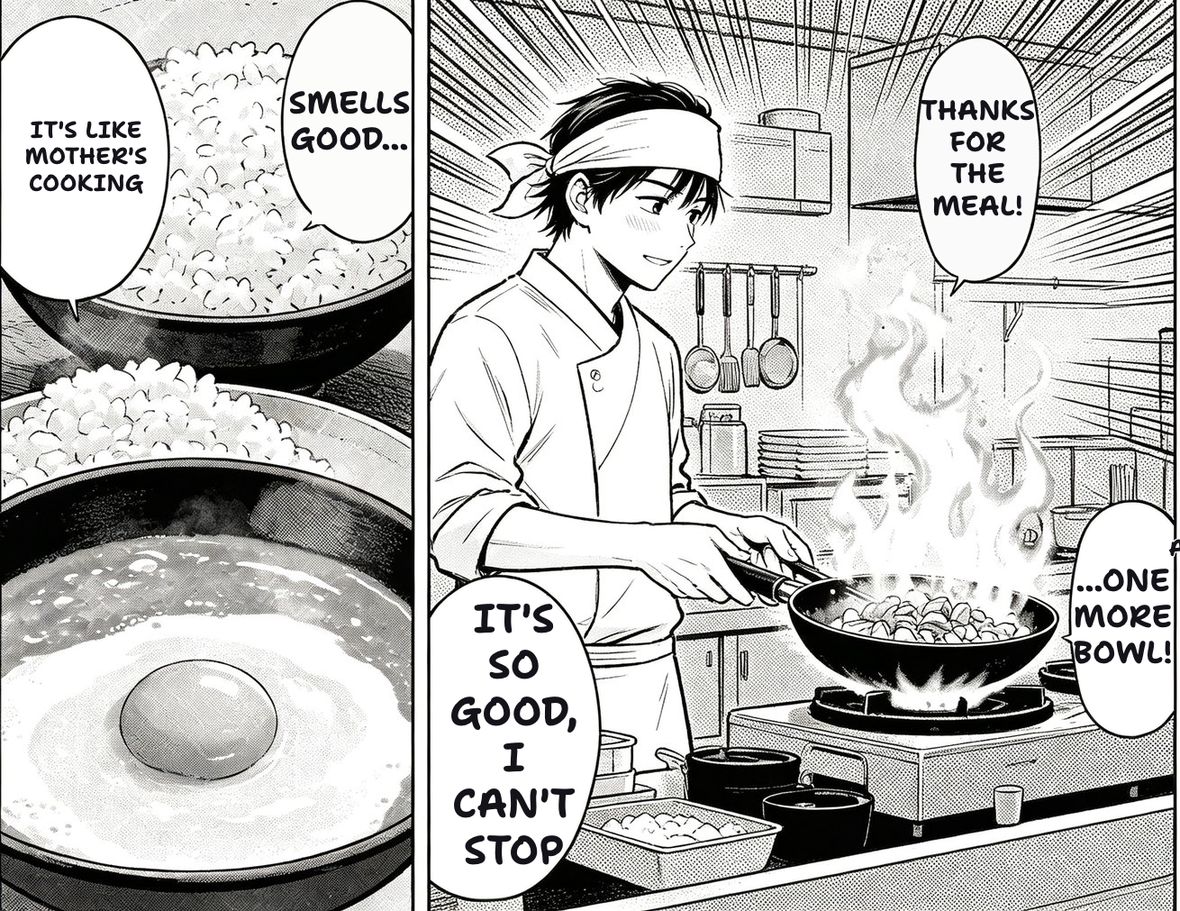
The same manga page after TranslateMyManga translated it into English.
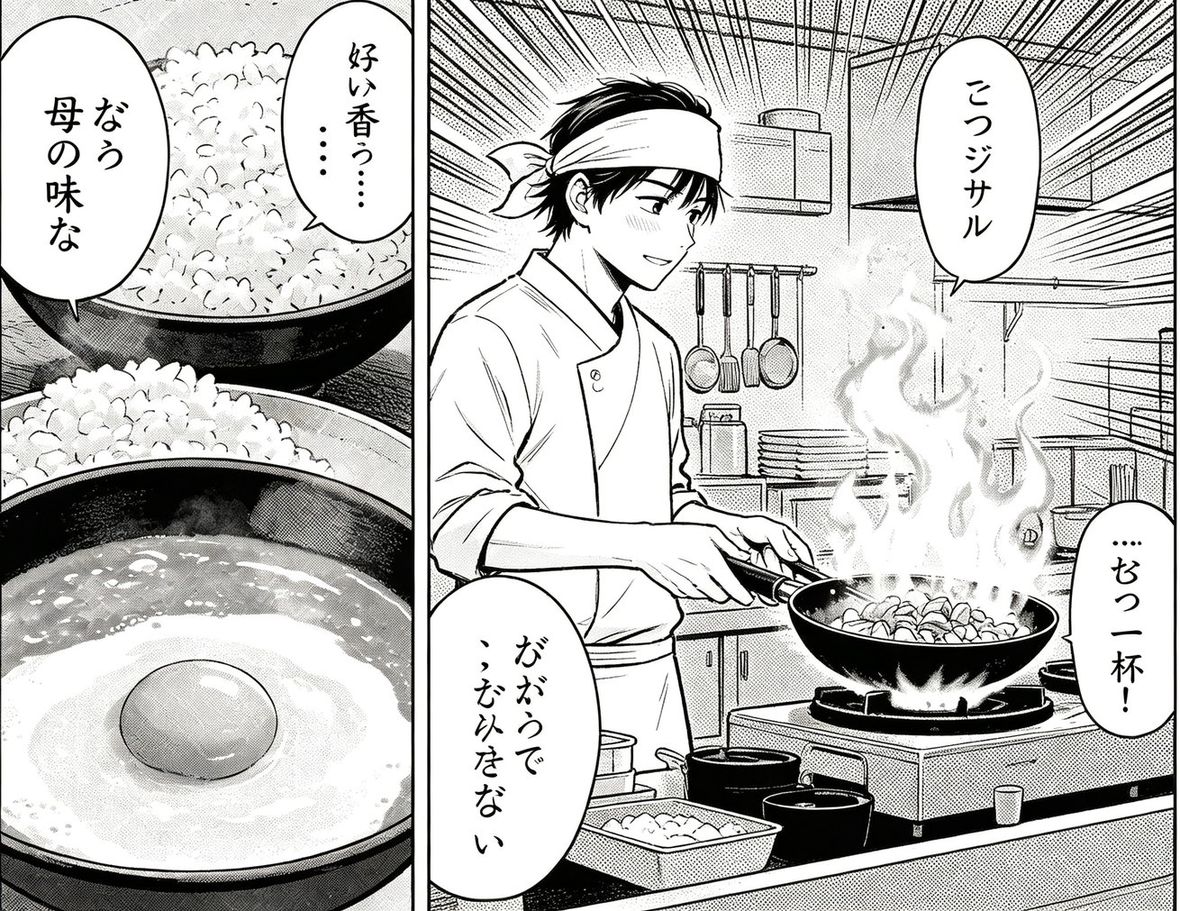
The original Japanese manga page before translation.
RAW · 日本語TRANSLATED · English
An example page, not your upload — drag the divider to compare. Drop your own page in and this becomes your result.
Drop a page here, or click to browse
JPG · PNG · WEBP · PDF · CBZ · CBR — up to 20 MB
Paste a screenshot or an image link anywhere on this page — or try one:
Translate to:Order:

JPG, PNG, WEBP — or paste with Ctrl+V. Reading order is worked out per image.

How to translate a Japanese image

Three steps, nothing to install.

1

Add the image

Upload a file, paste a screenshot with Ctrl+V, or paste an image link. Photos from your phone are fine.

2

Pick the language

English by default; any of 30+ languages. The Japanese is detected block by block, vertical or horizontal, and translated with the whole image as context.

3

Read it in place

The translation is drawn back over the original text. Download the PNG, or draw a box over anything the detector missed and it reads just that region.

What it does differently

VERTICAL

Vertical and horizontal

Tategaki columns are read as columns, horizontal lines as lines, in the same image. General OCR turns vertical Japanese into a stack of unrelated characters.

IN PLACE

Translation drawn back

The English goes where the Japanese was — on the sign, in the menu, inside the balloon — so the picture still reads as a picture, not a list of strings.

ANY IMAGE

Photos, screenshots, scans

A shop sign you photographed, a game screenshot, a product label, a manga panel. JPG, PNG, WEBP, or paste from the clipboard with Ctrl+V.

CONTEXT

Whole image at once

Every text block is translated in one pass with the whole image as context, so a product name in the header and in the fine print come out the same.

Try it on a Japanese image you already have

Nothing to install and nothing to sign up for.

Back to the tool

Questions

Can I translate Japanese from a picture?

Yes. Upload the picture or paste it with Ctrl+V, pick the target language, and the Japanese text is detected, translated and drawn back where it was. Vertical text is handled.

Does it work for game screenshots?

Yes — dialogue boxes and menus read reliably. Heavily stylised logo fonts are the usual failure point, not the language.

Photos of signs and menus?

Yes, as long as the text is reasonably sharp. Angled or blurry photos lower accuracy; a straight-on shot works best.

Japanese to English only?

Japanese to English is the most common use, but the target can be any of 30+ languages. Korean and Chinese source images work too — see the screenshot translator.

Is it free?

3 images a day free with no account; signing up adds 30. One credit per image after that.