Included with Monthly and Yearly

Manga editor
Clear the balloons, letter your own text

Upload a page, the balloons are emptied without touching the art, then click each one and type. Resize, drag, brush away leftovers, export the PNG. Everything runs in your browser.

example · 日本語 → English6 BALLOONS
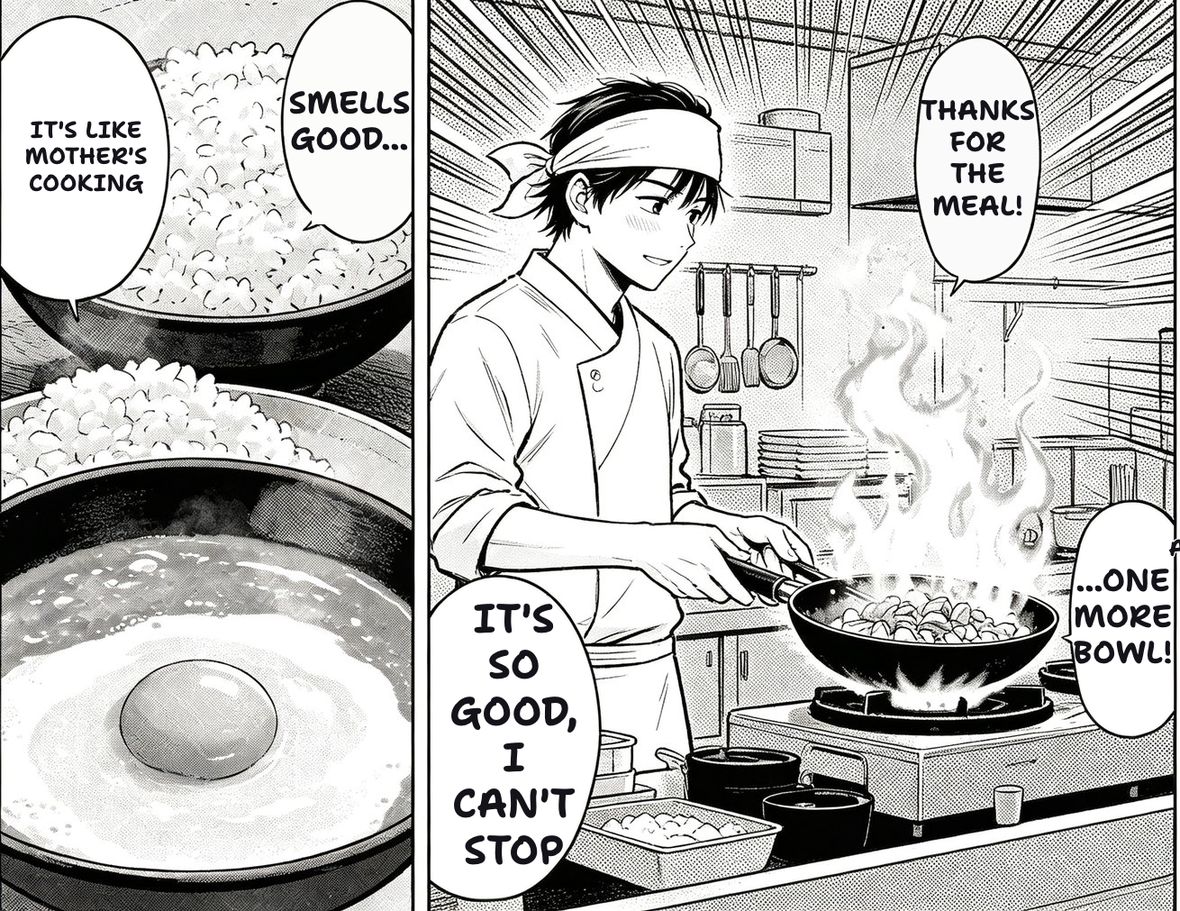
The same manga page after TranslateMyManga translated it into English.
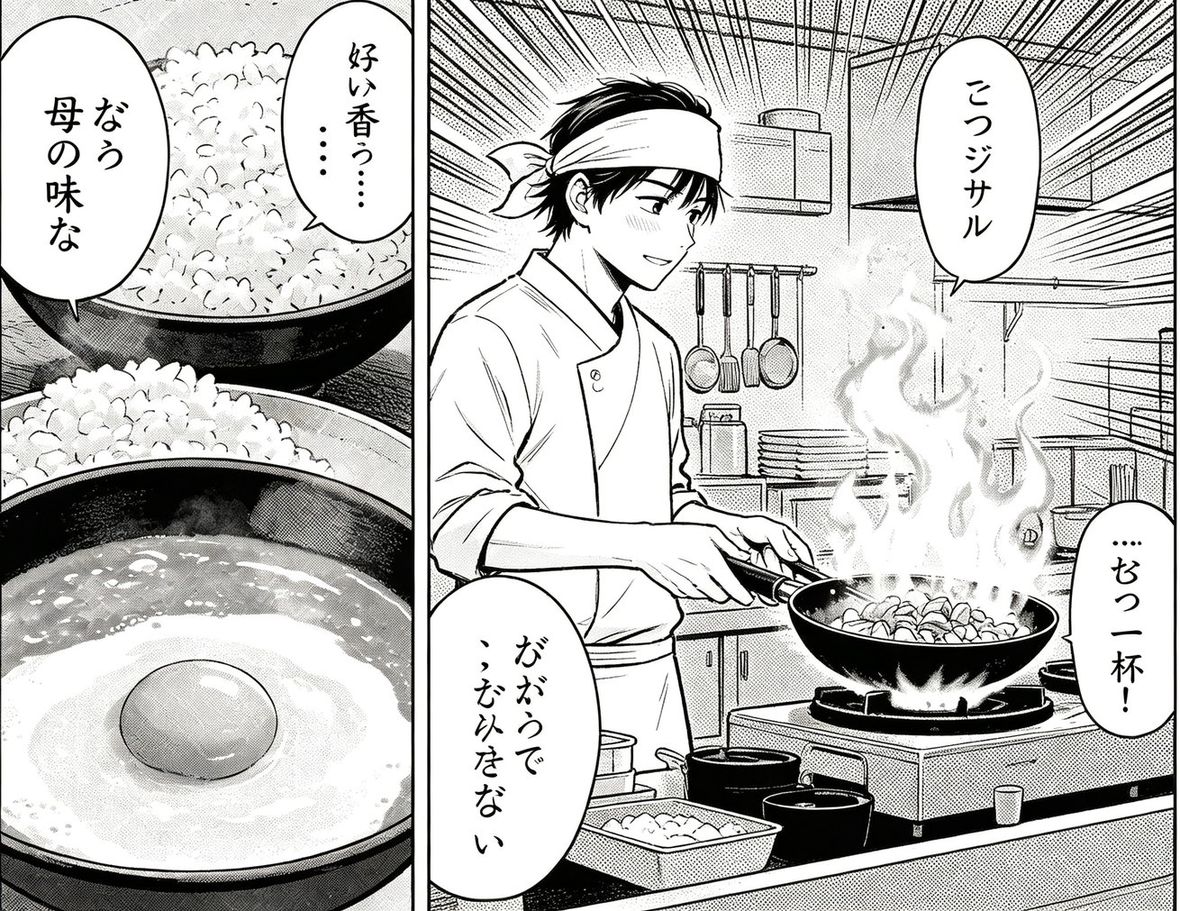
The original Japanese manga page before translation.
RAW · 日本語TRANSLATED · English
An example page, not your upload — drag the divider to compare. Drop your own page in and this becomes your result.
Drop a page here, or click to browse
JPG · PNG · WEBP · PDF · CBZ · CBR — up to 20 MB
Paste a screenshot or an image link anywhere on this page — or try one:
Order:

JPG, PNG, WEBP — processed on your device, no credits used

How to letter a page

Three steps, nothing to install.

1

Upload and clear

Drop the page. Balloons and on-art text are detected and erased on your device. What you see is the blank page, ready for lettering.

2

Click and type

Click an emptied balloon, type your line, press Enter. It’s fitted to the balloon automatically; A− / A+ and dragging are there when you want control.

3

Fix and export

Missed something? Draw a box over it. Leftover marks? Brush them away. Then download the PNG or find it in your library.

What it does differently

CLEAR

Balloons emptied, art kept

The same detector and eraser as the translator: balloons are refilled with their own background, text on the art is erased stroke by stroke. No white boxes.

TYPE

Your text, fitted

Click an emptied balloon and type. Font size is worked out from the space, lines are broken to fit, and A− / A+ overrides it when you disagree.

MOVE

Drag the lettering

Drag a balloon’s text to move it. The erase stays where the original text was; only the lettering moves.

BRUSH

Erase brush

Anything the detector missed or left behind: brush over it. The brush takes the colour under it, so halftone stays halftone.

Part of every subscription

Monthly and Yearly include the editor with no per-page charge.

See plans

Questions

Is this for translating?

No — this is for people who already have the translation (or their own script) and need to letter it. For translation use the translator; it ends in the same editor.

Does it use credits?

No. Detection, erasing and lettering all run on your own device. The editor is included with Monthly and Yearly plans.

Which fonts?

A hand-lettered comic face for dialogue and a display face for sound effects, with fallbacks for Cyrillic, CJK, Thai and Arabic. Font picking isn’t exposed yet — tell us if you need it.

Can I save and come back?

The finished page is saved to your library for 30 days. Re-opening a page to keep editing isn’t available yet; export the PNG when you’re done.

Do you see my images?

No. The page never leaves your device during editing; only the finished PNG is uploaded to your library, and only because you’re signed in.